![Logo-gamfi_orange.png]](https://gamfi.support/hs-fs/hubfs/Logo-gamfi_orange.png?height=40&name=Logo-gamfi_orange.png)
This feature allows you to schedule automatic release of Actions:
- SMS
- Website.

When might you want to use the Calendar feature? Here are some examples:
1. Organizational and Personnel Changes
- Information regarding changes in structure, the opening of a new office, or a major shift in company strategy.
2. Employee and HR Matters
- Information about the open enrollment period for healthcare, changes to the bonus system, or new benefits,
- Announcements of additional company holidays or work schedules during holiday periods,
- Invitations to participate in the annual employee satisfaction survey.
3. Corporate Events
- Invitations to company-wide meetings with management,
Information about company trips, Christmas parties, or company anniversaries.
4. Security and Crisis Issues
- Emergency situations, such as alerts about hacking attacks, data breaches, or mandatory, immediate password changes,
- Important instructions regarding workplace safety.
The Calendar feature has many uses. How do you configure such an Action in Gamfi?

How can I automate an Action independently of a workflow?
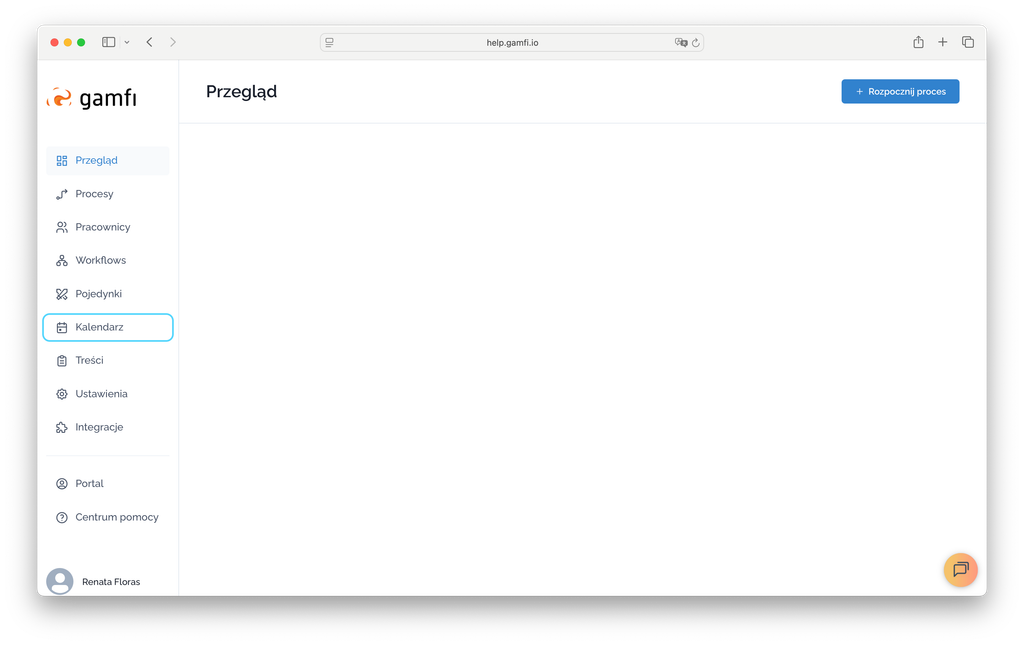
- Go to the "Calendar" tab:
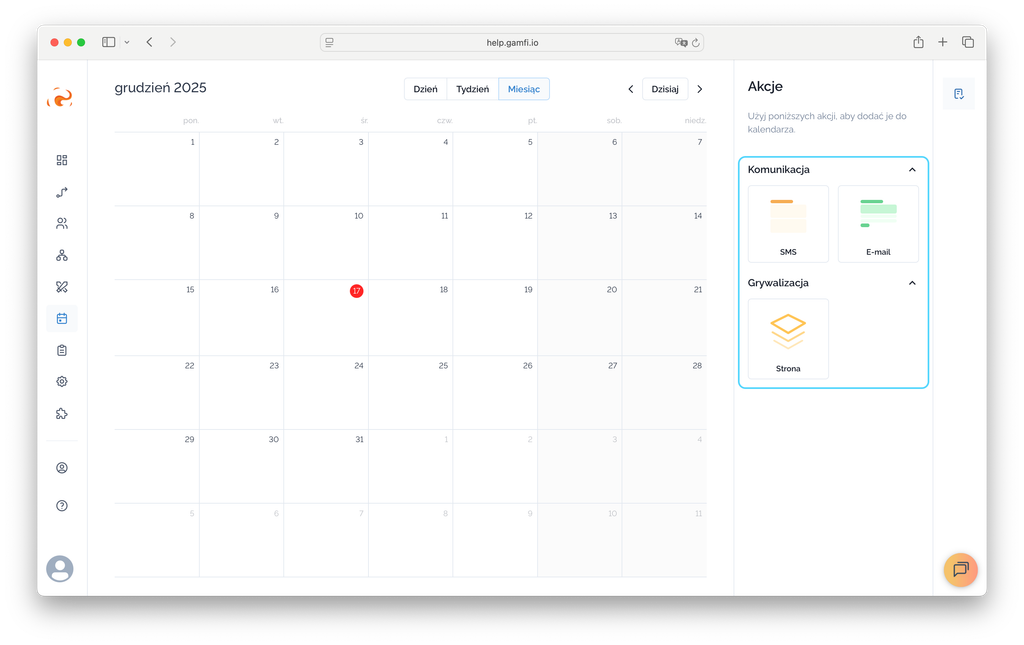
- Select the day on which the Action is to be performed and move the selected Action type to the Calendar view using the “Drag and Drop” mechanism:
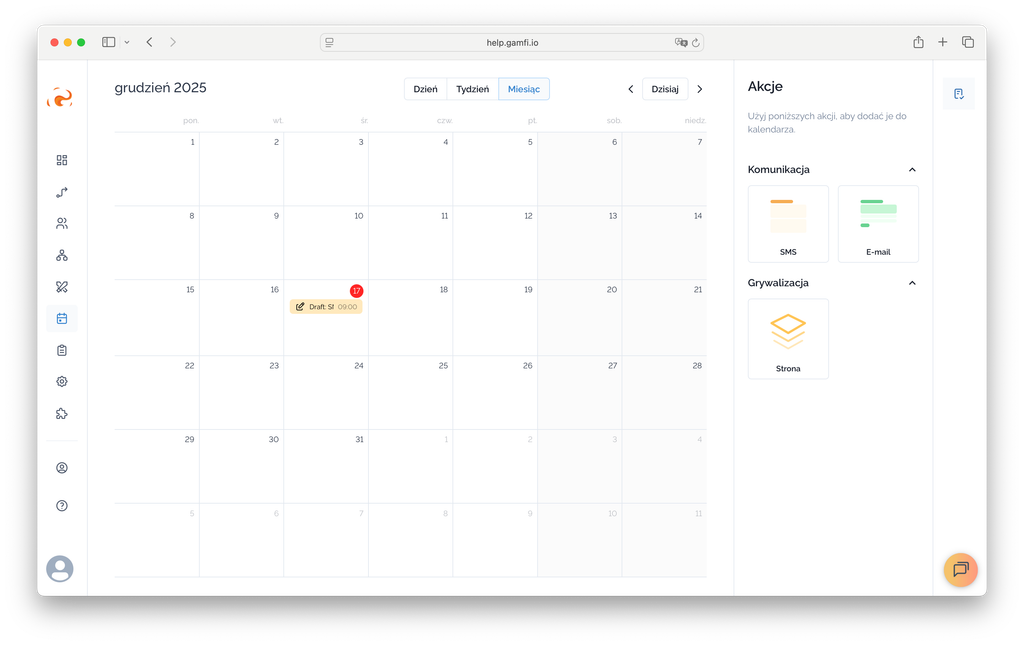
- Now it's time to plan the content of the Action - just click on the "Draft" item in the calendar:
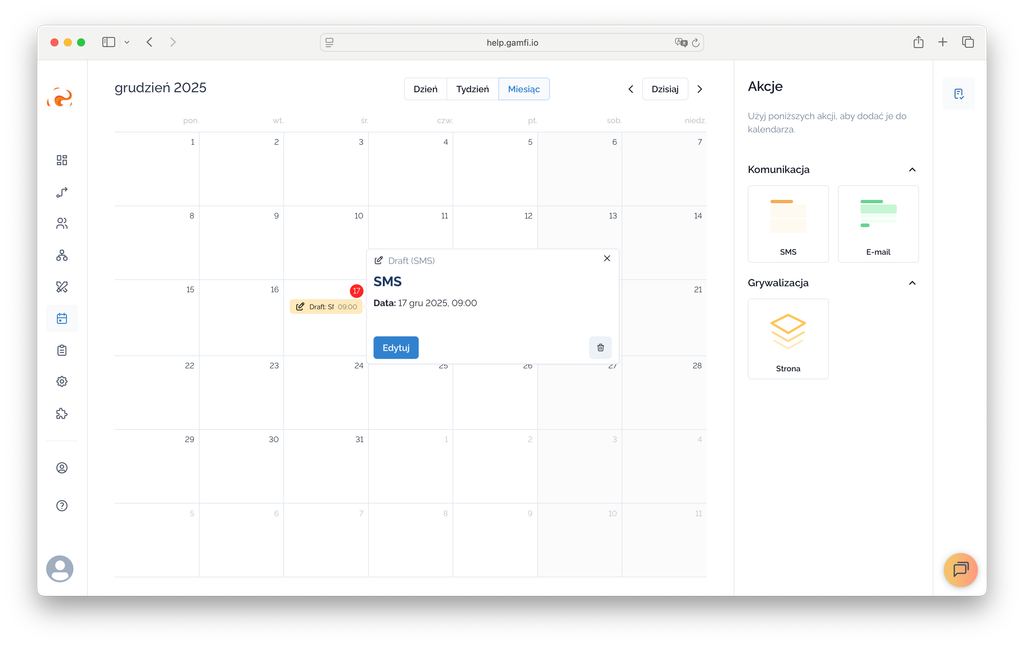
- Now use the "Edit" button:
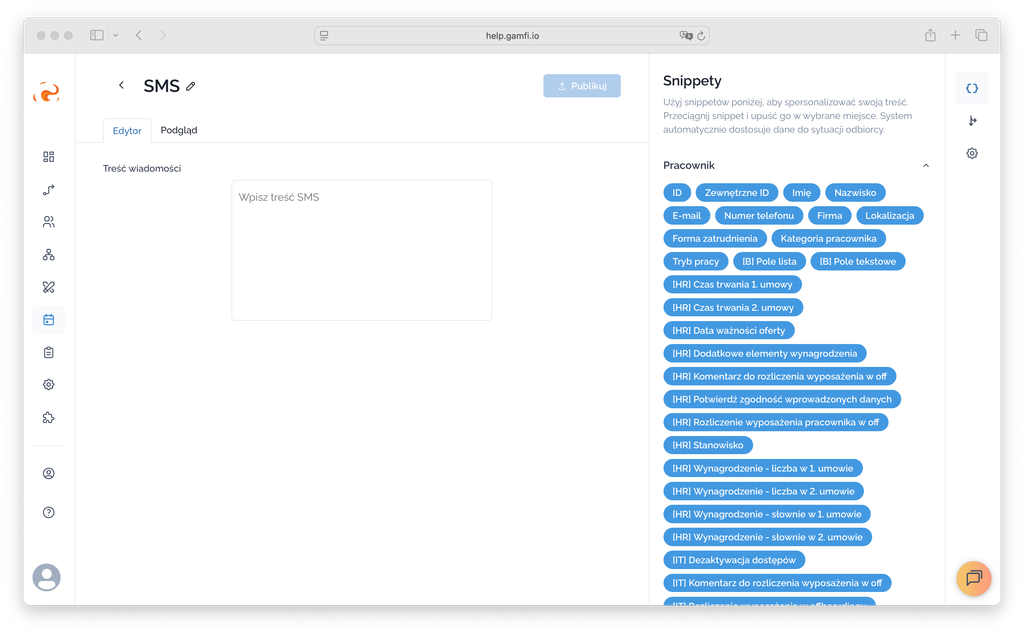
- Write your content. Use snippets to personalize your content:
- Actions you want to automate independently of a workflow can also be targeted.
An action can be triggered:
- upon completion of another workflow,
- for employees meeting a Location condition,
- for employees meeting a Category condition,
- for employees meeting a condition specified in a custom field.

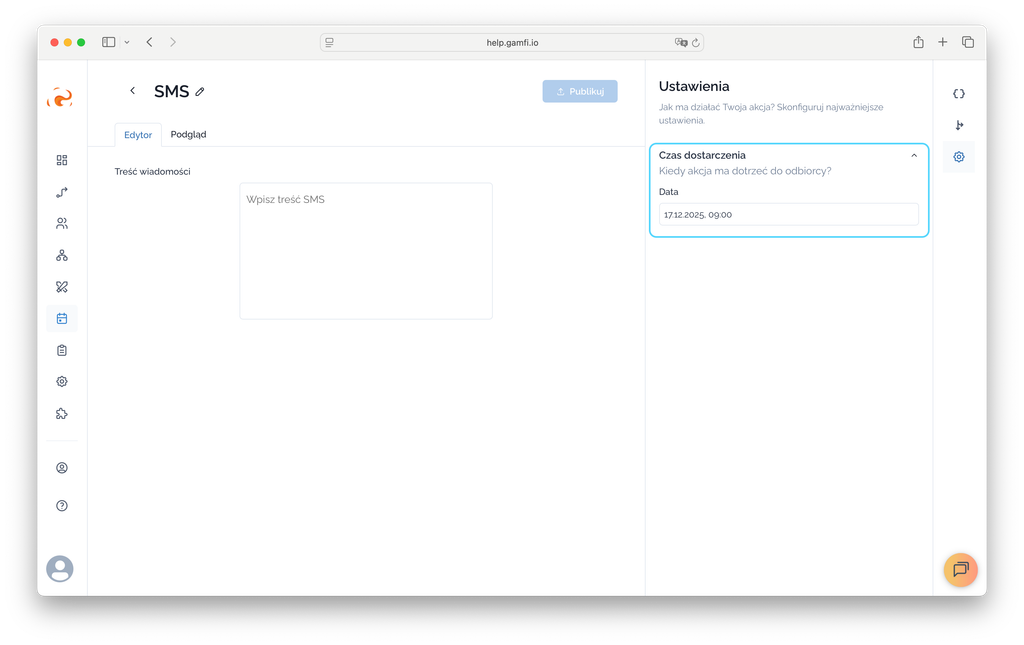
- Plan when a given Action should be released to employees:
A Page Action, scheduled directly from the Calendar, can be used as a "mission to complete." What does this mean? Completing this Action earns users points. The Action will be visible on the front-end of the Gamfi Platform in the "Missions" tab. This type of Action can be used for gamification.